Is It Time To Stop Using Spreadsheets For Your Business?
Is it time to stop using spreadsheets for your business? Every small business journey begins in the exact same place: a blank Microsoft Excel or Google Sheets grid. In the company’s infancy, spreadsheets feel like the ultimate operational tool—flexible, free, and entirely customizable. You can track inventory, log customer inquiries, and build basic financial models without spending a single dollar on specialized enterprise software. It provides an immediate sense of control over your operations when everything is manageable and fits neatly into rows and columns.
However, as order volume scales, team members join, and business processes become more complex, that comforting grid slowly morphs into an operational bottleneck. Data scatters across dozens of disjointed files, formulas break unexpectedly during critical reporting periods, and team collaboration turns into a chaotic version-control nightmare. You might find yourself spending hours manually compiling weekly reports instead of actually growing the business.
If managing your company’s data feels more like a frustrating administrative chore than a strategic asset, it is time to evaluate is it time to stop using spreadsheets for your business.
Table of Contents
The Excel Honeymoon: Why Spreadsheets Work Early (And Why They Fail Later)
To understand why spreadsheets eventually break down, you must first appreciate why they are so wildly successful in the beginning. Spreadsheets are general-purpose calculation canvases. In a startup’s earliest days, manual data entry is actually a strategic advantage. Touching every single invoice, expense line, and customer record yourself gives you an intimate, granular feel for your unit economics, burn rate, and cash flow. You learn where every dollar goes because you typed it in row by row.
The operational friction begins when transaction velocity outpaces human capacity. When your business goes from processing 5 orders a day to 150, manual data entry shifts from being an educational exercise into a dangerous administrative tax.
When you spend more hours auditing broken cell references, fixing #REF! errors, and copy-pasting CSV exports than analyzing strategic insights, spreadsheets stop serving as growth accelerators and start acting as anchors holding your enterprise back.
The 5 Tipping Points: When Is It Time To Stop Using Spreadsheets For Your Business?
The 5 Spreadsheet Tipping Points
- Version Control Gridlock
- File Bloat & Calculation Lag
- Key-Person Dependency Risk
- Zero Granular Security
- Manual Data Integration Drag
Recognizing when your company has outgrown flat-file spreadsheets requires looking past daily habits and examining structural weaknesses. Here are the five definitive tipping points that signal you need to upgrade.
For a deeper look at how over-reliance on spreadsheets impacts growing companies, explore CIO’s insights on spreadsheet risks in enterprise operations.
1. The Version Control and Collaboration Dead End
- The Operational Symptom: Your shared desktop folder or Google Drive is littered with files bearing desperate names like
Budget_2026_FINAL_v4_revised_EDIT_final.xlsx. Team members frequently work on outdated copies, leading to conflicting data, lost updates, and agonizing manual merge sessions. - Why Excel Fails Here: Desktop spreadsheets lock files during simultaneous multi-user editing, forcing teams to email copies back and forth or rely on basic cloud co-authoring that frequently breaks under complex formula dependencies.
- The Verdict: If your team spends more time coordinating who holds the master file than executing operational tasks, flat files are no longer viable for collaboration.
Read Also: 10 Essential Excel Functions for Small Business Owners (With Real Examples)
2. Calculation Lag, File Bloat, and Data Corruption Risks
- The Operational Symptom: Opening your master inventory ledger or customer database takes five full minutes, and pressing Enter causes the calculation engine to freeze your computer or trigger sluggish recalculation loops.
- Why Excel Fails Here: Excel and Google Sheets are built for tabular analysis and lightweight modeling, not high-volume relational data storage. Once row counts exceed 50,000 or complex lookup arrays multiply across multiple sheets, memory consumption spikes and performance degrades severely. Furthermore, spreadsheets lack native validation rules, allowing typos or text strings in numeric columns to corrupt calculations silently.
- The Verdict: Sluggish workbooks lead to operational delays and human error. Relational database software handles millions of rows instantly without performance lag.
3. The Dangerous Single Point of Failure (Key-Person Dependency)
- The Operational Symptom: You are the only person on the team who understands the intricate, fragile web of interconnected formulas holding your reporting together. If you fall ill or take a week of vacation, reporting grinds to a halt because no one else dares to open the master file.
- Why Excel Fails Here: Custom spreadsheets lack standardized data schemas. Because any user can build a formula however they choose, workbooks become opaque monoliths dependent entirely on a single creator’s tribal knowledge.
- The Verdict: A core business system should be maintainable and understandable by any trained team member, not held together by one person’s undocumented spreadsheet wizardry.
4. Zero Data Security and Granular Access Control (RBAC)
- The Operational Symptom: Anyone on your team who has access to your shared cloud folder can view, edit, or accidentally delete sensitive payroll records, employee salary data, and proprietary supplier contracts.
- Why Excel Fails Here: Basic password protection on spreadsheets is easily circumvented, and native Excel lacks Role-Based Access Control (RBAC). You cannot restrict an employee to viewing inventory levels without simultaneously exposing financial margins or payroll sheets.
- The Verdict: When internal compliance, privacy regulations, or client confidentiality mandates strict permission tiers, desktop spreadsheets fall dangerously short.
5. Manual Data Integration Drag Across Disparate Sales Channels
- The Operational Symptom: Every Monday morning requires manually downloading CSV export files from Stripe, Shopify, PayPal, and your bank feeds, then painstakingly stitching them together into master rows.
- Why Excel Fails Here: Spreadsheets do not natively synchronize with external cloud APIs without complex custom VBA scripts, Office Scripts, or third-party middleware connectors.
- The Verdict: Modern multichannel businesses require automated data pipelines that ingest transactions in real time without manual copy-pasting.
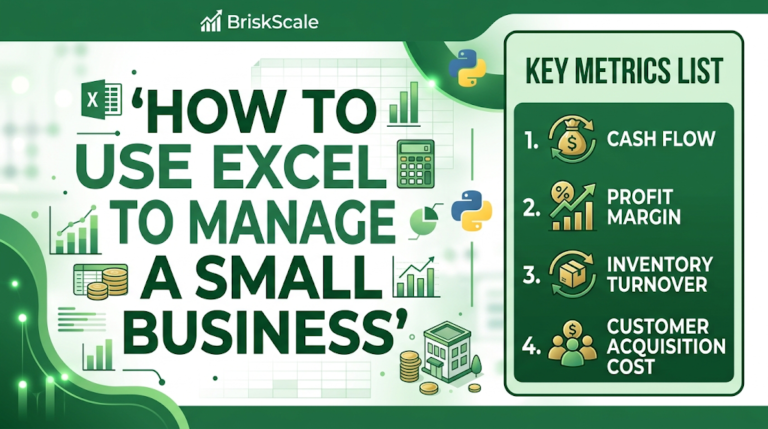
You May Also Like: How to Use Excel to Manage a Small Business (The Complete Guide)
When to Keep Excel vs. When to Migrate Immediately (The Hybrid Model)
A common misconception is that upgrading to business software means banning Excel entirely. That is neither realistic nor necessary. Successful small businesses maintain a hybrid data architecture by distinguishing between exploratory modeling and operational data management:
| Data Function | Where It Belongs | Why? |
| Ad-Hoc Financial Modeling | Microsoft Excel / Google Sheets | Unmatched flexibility for scenario planning, pricing simulations, and tax forecasting. |
| Rapid Prototyping | Microsoft Excel / Google Sheets | Perfect for testing new business logic before investing in software customization. |
| Transactional Ledgers | Cloud Software (ERP / Accounting) | Requires immutable audit trails, multi-user concurrency, and automated bank feeds. |
| Customer Relationship Data | Dedicated CRM Platform | Requires interaction history tracking, automated email logging, and pipeline velocity metrics. |
| Inventory & Fulfillment | Inventory Management SaaS | Requires real-time stock deductions across Shopify, Amazon, and warehouse locations. |
Choosing Your First Upgrade: ERPs, CRMs, and Inventory Platforms
When you decide to move away from spreadsheets, choosing the right software category prevents costly missteps. Do not immediately jump to heavy, expensive Enterprise Resource Planning (ERP) suites if your only problem is sales tracking. Match your software selection to your primary operational bottleneck:
- For Financial & Invoicing Chaos: Transition to cloud accounting platforms like QuickBooks Online, Xero, or Wave to automate bank reconciliations, expense tracking, and professional invoicing.
- For Sales & Pipeline Friction: Adopt a dedicated CRM like HubSpot, Pipedrive, or ActiveCampaign to track inbound leads, manage email communications, and forecast revenue pipeline velocity.
- For Inventory & Supply Chain Headaches: Implement e-commerce inventory platforms like Katana, Unleashed, or Cin7 to manage bill-of-materials, multi-warehouse stock levels, and purchase orders.
- For Reporting & Dashboard Blind Spots: Deploy Microsoft Power BI or Looker Studio connected directly to your cloud databases to generate live executive dashboards without manual spreadsheet manipulation.
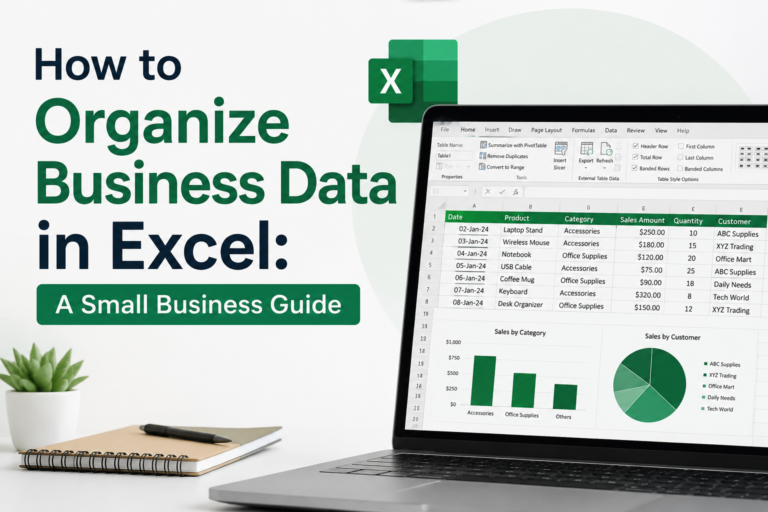
Read Also: How to Organize Business Data in Excel: A Small Business Guide
The 4-Step Migration Roadmap Away From Spreadsheets
Transitioning away from spreadsheets does not mean executing an overnight, high-risk software overhaul. Follow this structured roadmap to ensure business continuity:
Step 1: Audit Your Current Workbooks
Map every single spreadsheet your team relies on. Categorize them into two groups: operational databases (which store live customer, inventory, or financial records) and analytical models (which use data to forecast or simulate). Commit to replacing the operational databases first.
Step 2: Define Non-Negotiable Requirements
Before browsing SaaS vendor websites, document your exact operational friction points. List your non-negotiable needs—such as automated bank feed synchronization, multi-currency support, mobile receipt scanning, or specific user permission tiers.
Step 3: Pilot One Department First
Do not migrate the entire company at once. Move a single workflow—such as migrating client lead tracking from Excel to a dedicated CRM—to test team adoption, iron out workflow friction, and train key personnel.
Step 4: Clean Historical Data Before Importing
Never dump messy, unformatted spreadsheet data directly into a brand-new software platform. Standardize date formats (YYYY-MM-DD), remove duplicate customer records, eliminate text-formatted numbers, and run parallel systems (running old spreadsheets alongside new software) for at least 30 days to verify data integrity.
Read Also: How to Structure Spreadsheets for Small Business Reporting (Step-by-Step Guide)
Frequently Asked Questions
Does stopping the use of spreadsheets mean I should never open Excel again?
No. Excel remains an unmatched tool for financial modeling, ad-hoc data exploration, and forecasting. The goal is to stop using spreadsheets as your core transactional database for multi-user inventory, CRM, and accounting ledgers.
What software should I buy first when replacing spreadsheets?
It depends entirely on your primary operational bottleneck. If cash collection and invoicing are your biggest pain points, adopt cloud accounting software. If sales pipeline tracking is broken, invest in a lightweight CRM. If physical inventory is constantly out of sync, prioritize inventory management software.
How do I prevent data corruption during a spreadsheet-to-software migration?
Always clean, format, and de-duplicate your historical spreadsheet records in a staging environment before importing them into your new software platform. Running parallel systems for 30 days ensures you catch calculation discrepancies before decommissioning your old spreadsheets.
Is cloud software secure enough for sensitive financial data?
Yes. Modern cloud software providers (utilizing SOC 2 Type II compliance, AES-256 encryption, and automated secure backups) offer significantly higher data security than local desktop Excel files stored on vulnerable hard drives or shared email attachments.
How much should a small business budget for software upgrades?
Budgeting typically ranges from $30 to $150 per user per month depending on the software tier (CRM, Accounting, ERP). Weigh this subscription cost against the hundreds of administrative hours your team currently wastes fighting broken spreadsheets.